Make sure you have the installed latest firmware version on your unit and the latest AXE EDIT version.
Depending on which fractal unit the preset you have purchased supports, the necessary files will be placed in a separate folder named accordingly (AXE-FX III/FM3/FM9/AM4/VP4).
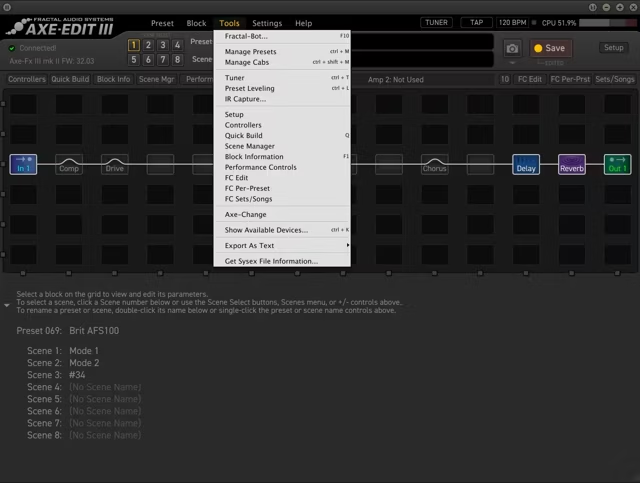
Open AXE EDIT and go to Tools -> Manage Presets.
Find an empty preset slot, then click and drag your .syx file.
If an IR is included with your preset, go once again to Tools -> Manage Cabs.
Find an empty cab slot, then click and drag your .wav file.
Make sure that the CAB block has the corresponding IRs selected!